Select "View Network" under the "Manage Partner Network" menu.

-
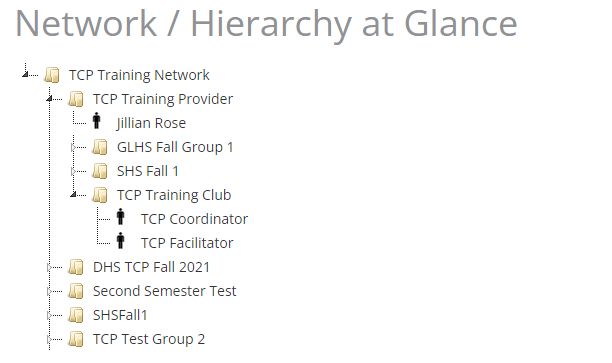
The network of Partners, Providers, and Groups will display.
-
Each item is presented by an icon, described in the following table:
Icon
Entity Type

Partner

Partner, Provider, Group

Primary Contact
Click the arrow icon located on the left to expand the levels of the network hierarchy.
The following screenshot shows a Partner at the highest level, with Providers at the mid-level, and Groups at the lowest level.